macOS 14+ · SwiftUI
Brand Saver
All your brand colors, logos and fonts, one click away.
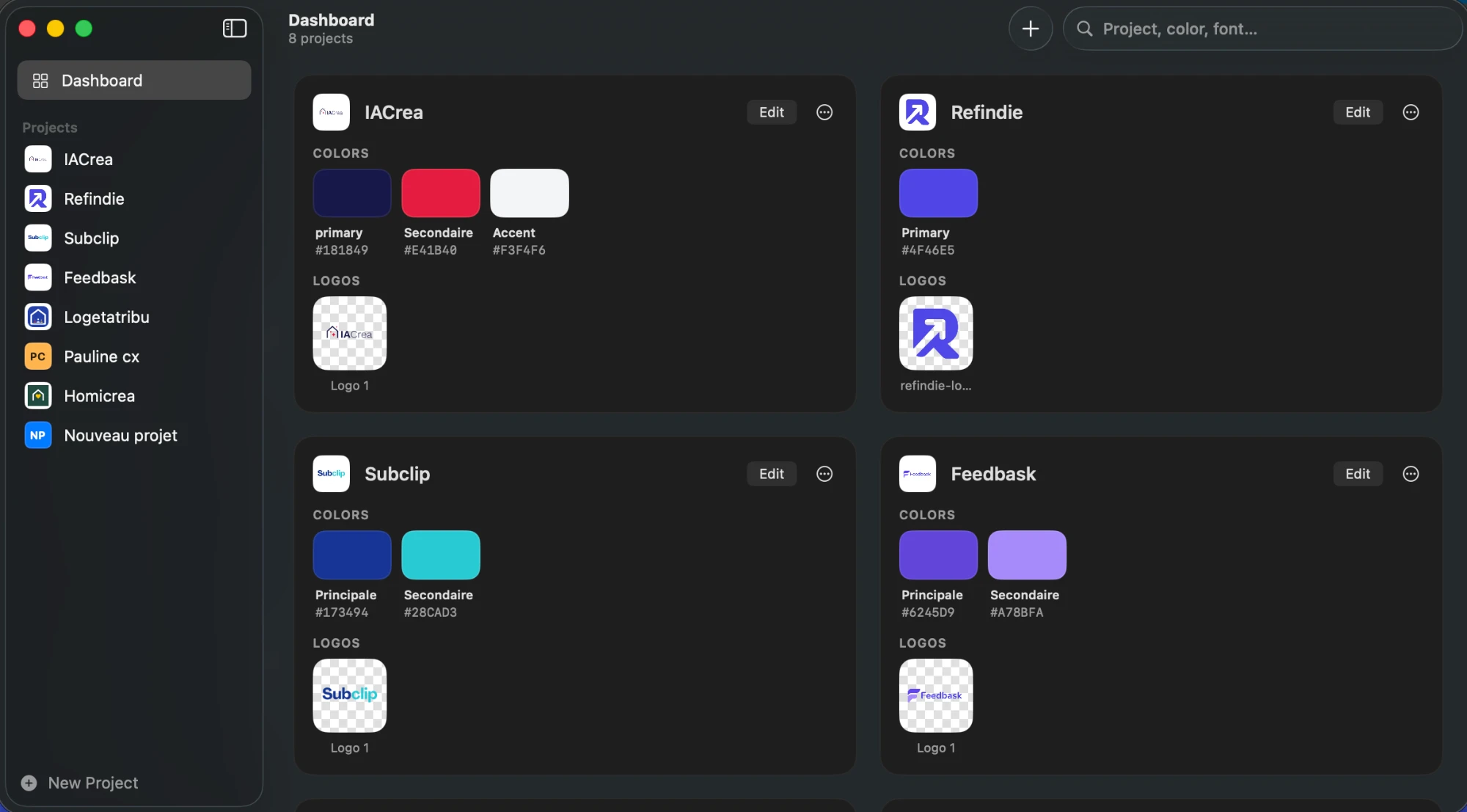
A native macOS app that stores the colors, logos and fonts of every project you work on. Click a color to copy its HEX, click a logo to paste it into Figma, Canva or Keynote. No more digging through folders.
What it does
Colors
System eyedropper, color picker or HEX / RGB input. Click to copy the HEX, right-click for RGB, HSL or SwiftUI.
Logos
Drop PNG, SVG, PDF or JPG files. Click to copy the image and paste it into Figma, Canva, Keynote or Mail.
Fonts
Name, style and usage with a live preview. Click to copy the name, right-click for the CSS.
Dashboard & search
Every project at a glance. Search by project name, color or font.
Menu bar
Reach all your brands from the menu bar without opening the window.
Export / import
Back up your projects and logos in a .brandsaver file, or move them to another Mac.
Make it yours with an AI agent
You get a clean, documented project. Open the folder in Claude Code, Cursor or Codex and ask for what you need: a new field, a team sync, a different look. The README explains how to build and run the app, so your agent knows where to start.